Facebook & Instagram: ad leads straight into Contacts
Connect your Facebook page so leads from Facebook and Instagram ads land in Contacts. Wire the follow-up and they hit your Inbox too.
What it does
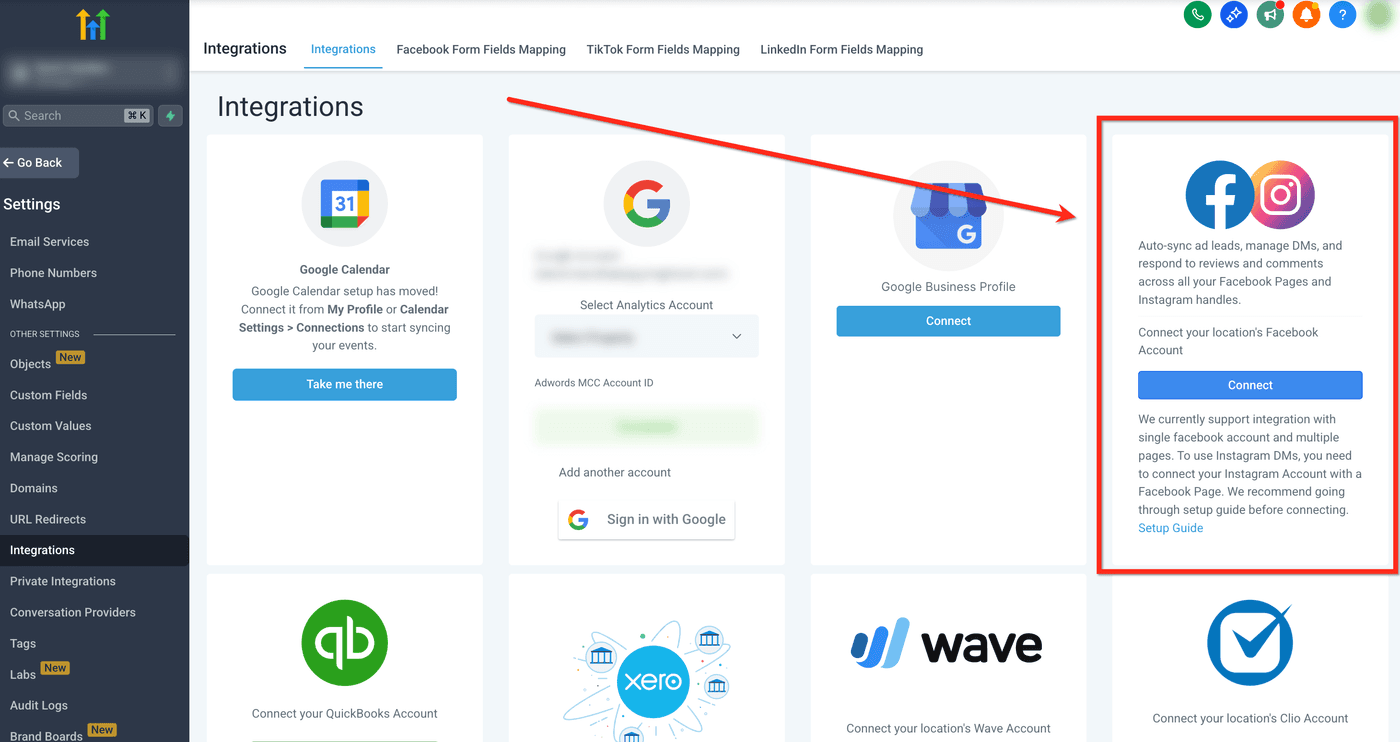
Connect your Facebook page and Instagram account, and leads from a Facebook or Instagram lead ad flow straight into Contacts as soon as the lead form is mapped to your account. Wire a follow-up action and each new lead also starts an Inbox thread and notifies you.
Why it matters to a roofer
Facebook and Instagram ads are one of the best sources of roofing leads. Connect your page and set up the follow-up action, and a "free inspection" lead lands in your Inbox with a reply ready to go in seconds instead of tomorrow. You can see what each lead actually cost without living in Ads Manager.
Connect Facebook and confirm leads arrive
Do this once before you run a single ad, then every lead from that page flows in automatically.
- Open Marketing from the left menu and find the Facebook connection.
- Sign in to Facebook and authorize access when prompted: you'll need to be an admin of the Page and ad account.
- Select the ad account and the Facebook Page you run ads from.
- Connect your lead form so new submissions map to it and land in Contacts. Do this for each lead ad you run.
- Turn on a follow-up action for that lead form: this is what starts an Inbox thread and notifies you the moment a lead comes in. Skip it and leads still save to Contacts, but you won't know they arrived.
- Send a test lead, or wait for the first real one, and confirm it shows up in Contacts (and Inbox, if you wired the follow-up).