Forms: turn website visitors into leads
Build a lead form, put it on your site, and every submission creates a contact. Wire the follow-up and it lands in your Inbox too.
What it does
The form builder lets you build a lead form (name, phone, address, whatever you need) and put it on your website or share it as a link. Every submission always creates a contact; set a follow-up action and it also starts an Inbox thread and notifies you. Skip that step and a submission can go unnoticed.
Why it matters to a roofer
A "Get a Free Roof Inspection" form on your website turns a visitor who's just browsing into a lead you can text back in seconds, instead of an email that sits unread in an inbox nobody checks.
Build a form and put it on your site
Build it once, then embed it or share the link anywhere you want leads to come from.
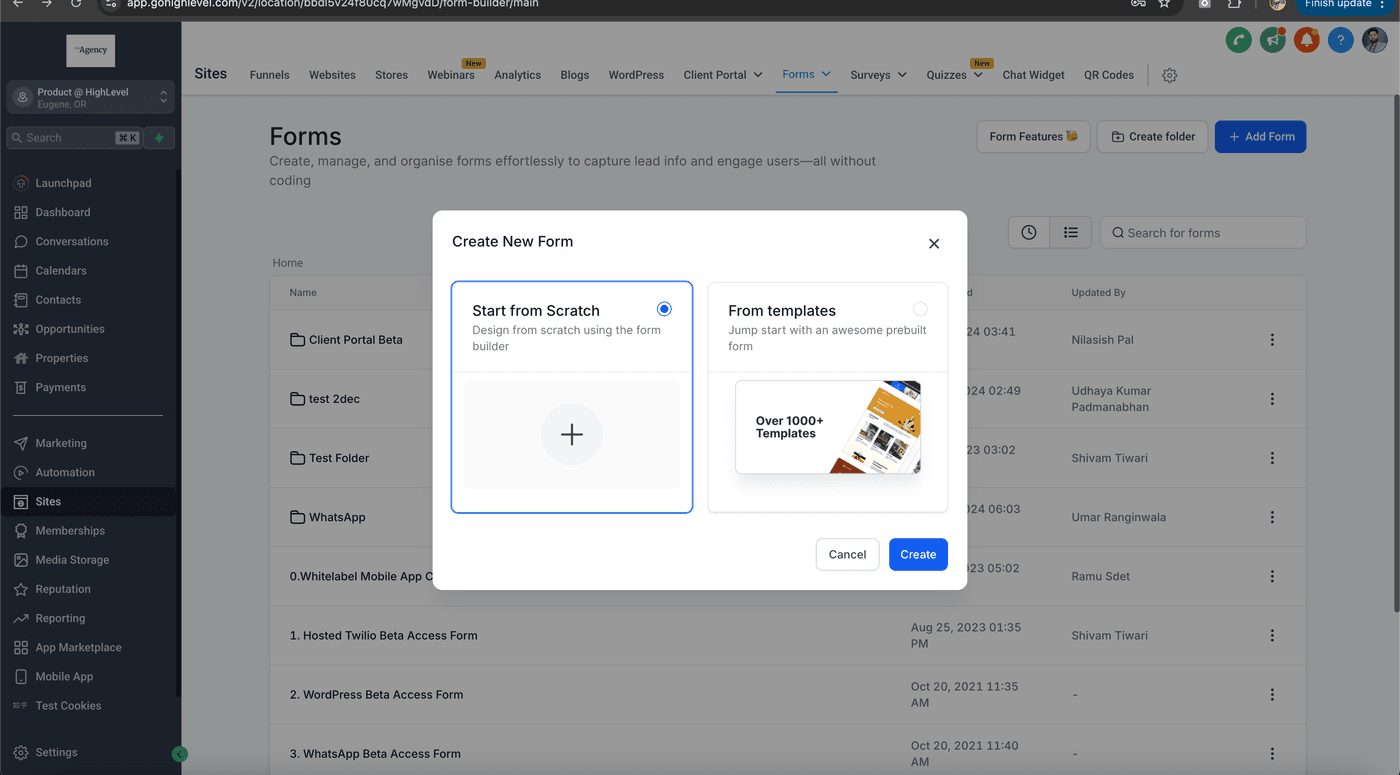
- Open Forms from the left menu and click Create New Form, or start from a template.
- Drag in the fields you need (Name, Phone, Address) and set the design.
- Open Settings and turn on a follow-up action: this is what starts an Inbox thread and notifies you when a submission comes in. Skip it and the lead still saves to Contacts, but you won't know it happened.
- Save, then click Embed to copy the code for your website, or copy the link to share directly.
- Submit a test entry and check Contacts (and Inbox, if you set up the follow-up) to confirm the lead comes through.