Contacts: every customer's record in one place
The full history for every lead and customer: info, tags, notes and everything you've said to them.
What it does
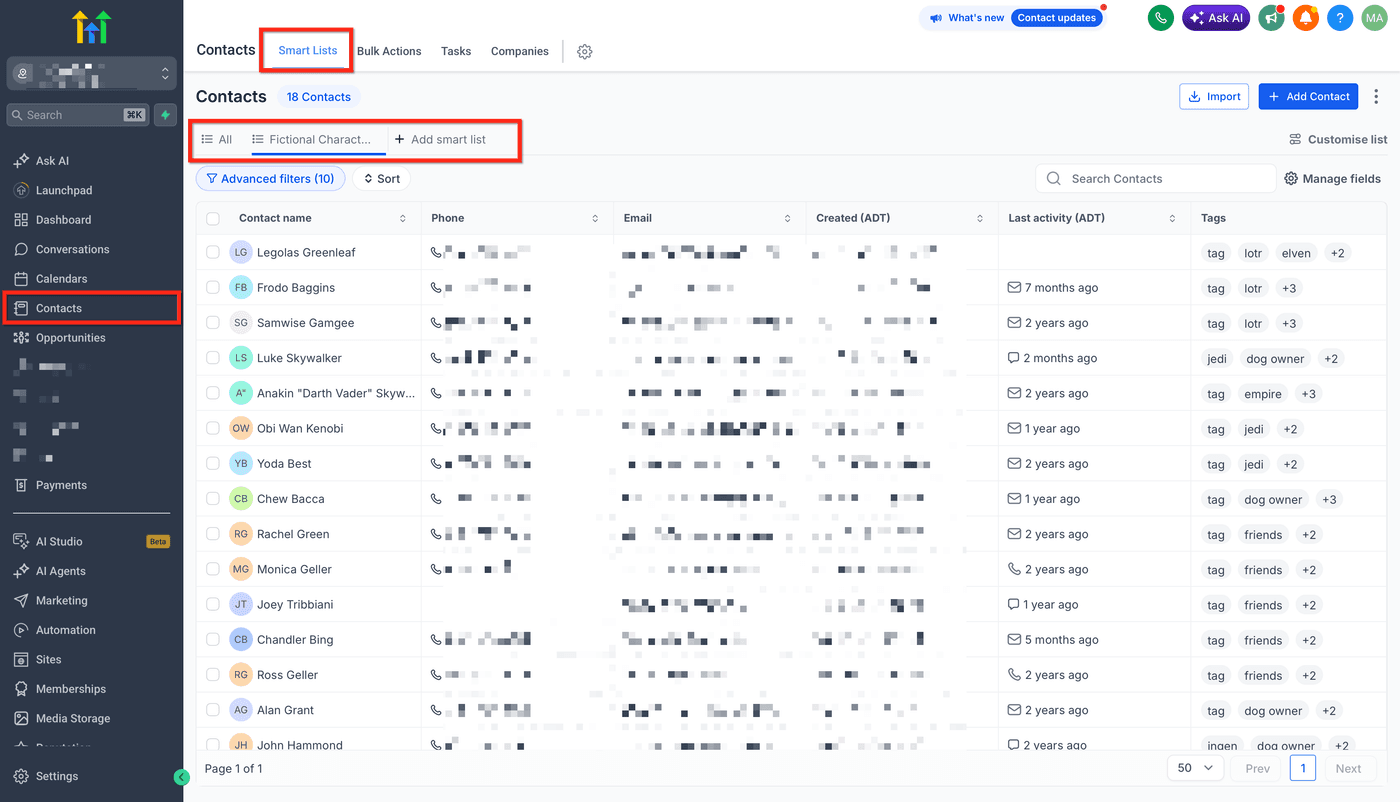
Contacts is your customer database. Every lead and customer gets a record with their info, tags, notes, appointments and full conversation history, plus saved, filtered lists that update automatically as contacts change (a list like "insurance leads not yet booked" stays current on its own).
Why it matters to a roofer
Every homeowner who ever called, asked for a quote or got a roof from you is one searchable record. Pull up a past customer in seconds, see everything you've told them or filter down to a group (like everyone due for a gutter check) and text or email the whole list at once.
Find a contact, tag it and add a note
Tags and notes are what make a huge contact list actually useful later.
- Open Contacts from the left menu.
- Search or scroll to find the customer's record.
- Open the record and click Add Tag: use the same spelling every time ("insurance" every time, not "Insurance" once and "insurance" the next) so your filtered lists stay accurate.
- Click Add Note and jot down anything worth remembering: what they asked for, what you promised, when to follow up.
- Save. The tag and note are attached to that customer from now on.