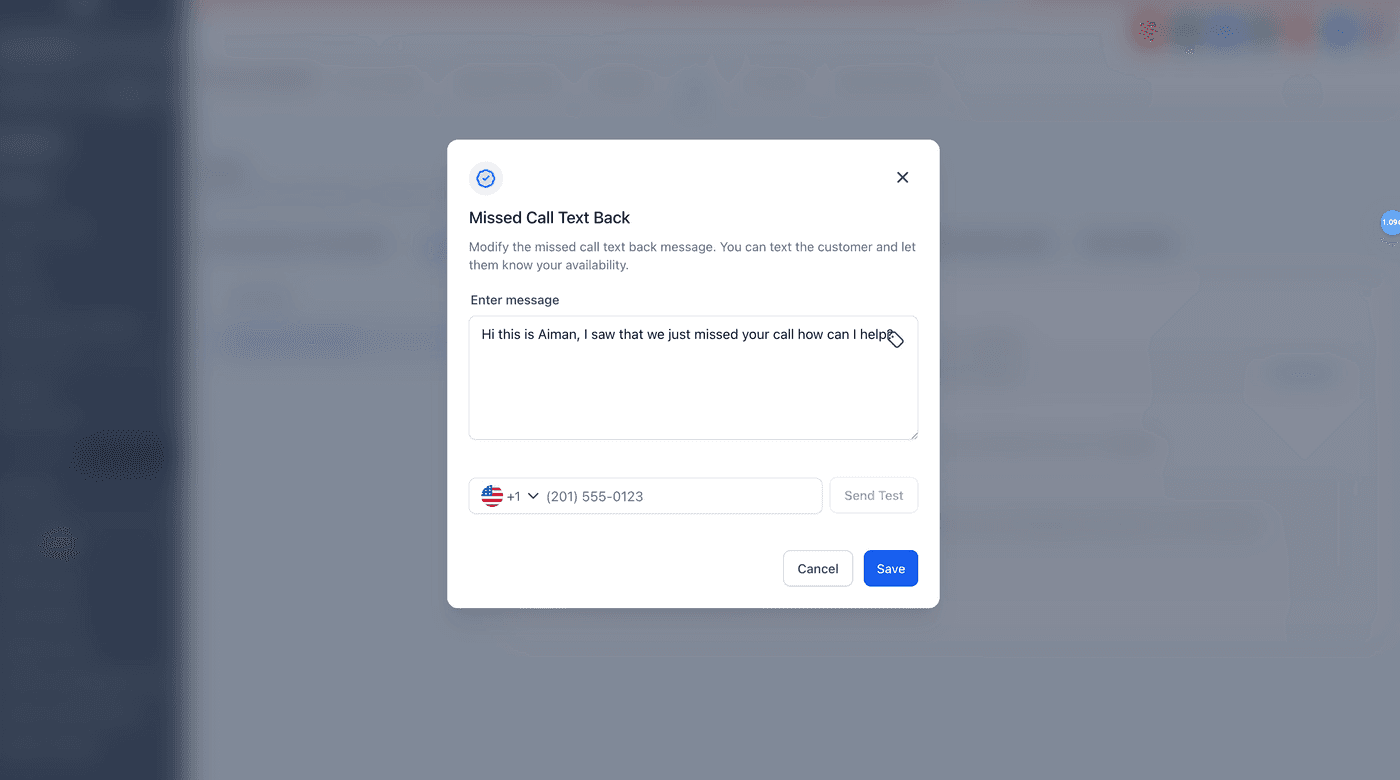
Missed-call text-back
When you can't pick up, the system auto-texts the caller so you don't lose the lead.
What it does
When a call to your Roofers Lab number goes unanswered, this feature automatically sends the caller a text, acknowledging the missed call and inviting them to text you back instead. Write the message once and it fires on every missed call from then on.
Why it matters to a roofer
A missed call is a missed roof: you're on a ladder, the phone rings out and the homeowner just dials the next contractor on their list. The auto-text turns that missed call into a live text thread before they ever pick up the phone again.
Turn on your auto-text
Set this up once and it runs automatically in the background from then on.
- Open Settings and find Missed Call Text Back. Depending on your account, it's under Business Profile or under your phone number's settings.
- Toggle Missed Call Text Back On.
- Write the auto-reply text callers will receive, for example: "Sorry we missed you, this is [Company]. How can we help with your roof?"
- Set the ring timeout: how long the phone rings before the text fires (10-20 seconds is a good starting point).
- Send yourself a test text to check the wording, then Save.