Calendar & Booking: let homeowners book themselves
Share a booking link so customers pick an open inspection slot without a single call.
What it does
Calendar & Booking gives you a booking page for inspections, estimates and consults. Set your real availability, and a homeowner picks an open slot themselves. The appointment lands on your calendar and reminders go out automatically.
Why it matters to a roofer
No more phone tag trying to land on a time that works. A homeowner clicks your booking link, picks a slot that's actually open, and it's on the books. The automatic reminder means fewer no-shows for the same trip out.
Set up your booking link
Do this once, then just share the link every time someone needs to book.
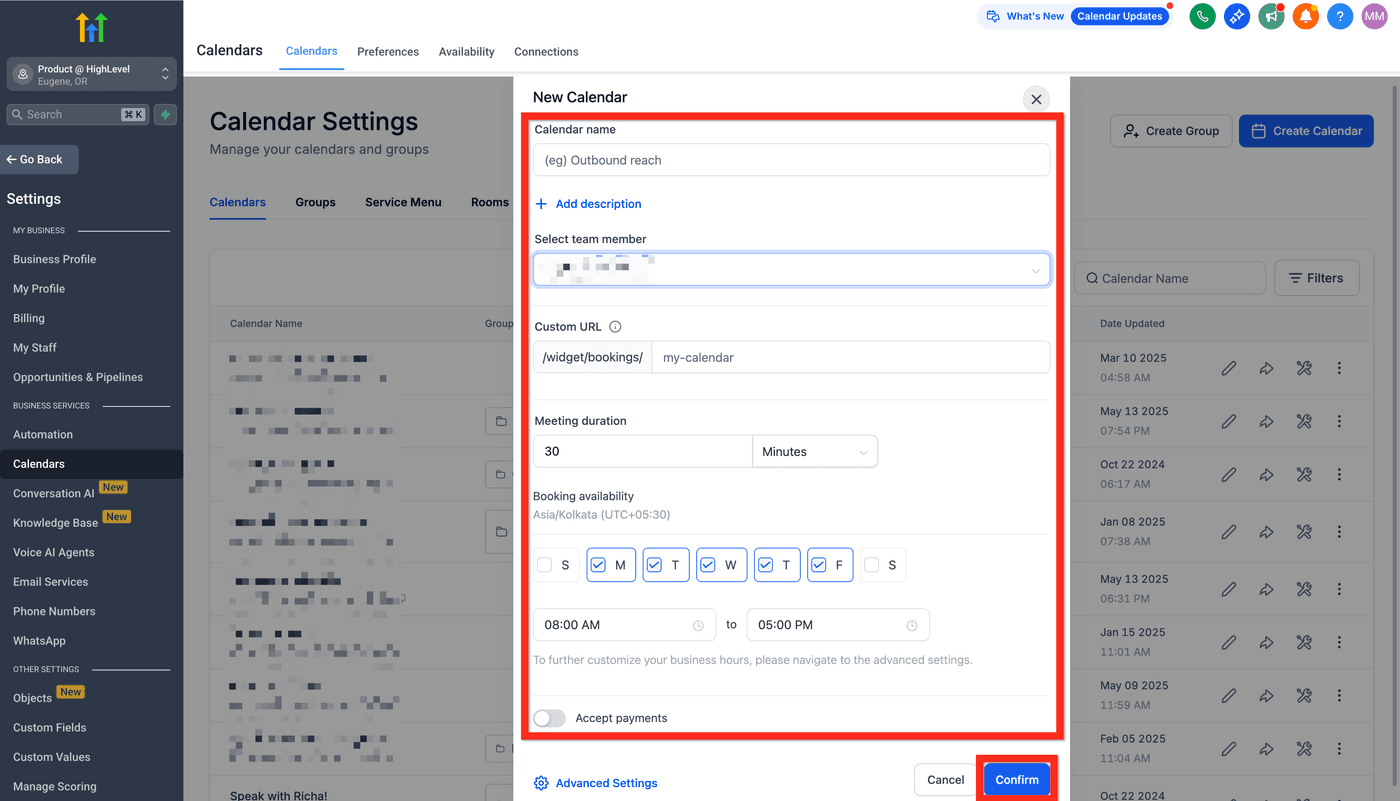
- Open Calendar & Booking from the left menu and create a new calendar.
- Set your name, appointment duration, availability hours and buffer time between appointments.
- Turn on reminders so customers get a text or email before their appointment.
- Save, then copy your booking link.
- Share the link by text, email or on your website: customers book directly into your open slots.